
Every page illustrated · Same characters
AI Storybook Generator: Write and Illustrate a Picture Book
AI Story Kit is an AI story generator with pictures and an AI children's book generator in one place. Write a story or paste one you already have, choose one of five art styles, and each page gets its own illustration, with characters who keep the same face and clothes from the cover to the final page.
Real result
One Storybook, Page by Page
The input was a short pasted story, with Watercolor and 6 pages picked. Below are the character sheet, the cover and pages 1–5, exactly as drawn. Pip keeps the same teal body, blue eyes and leaf antenna on every page because the character sheet is drawn first.
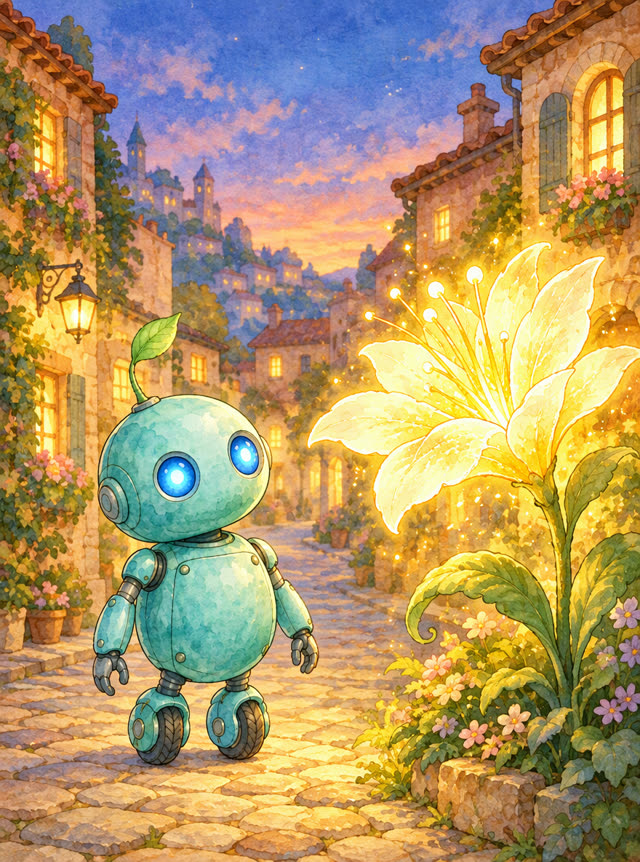
Cover · Pip and the Glowing Flower 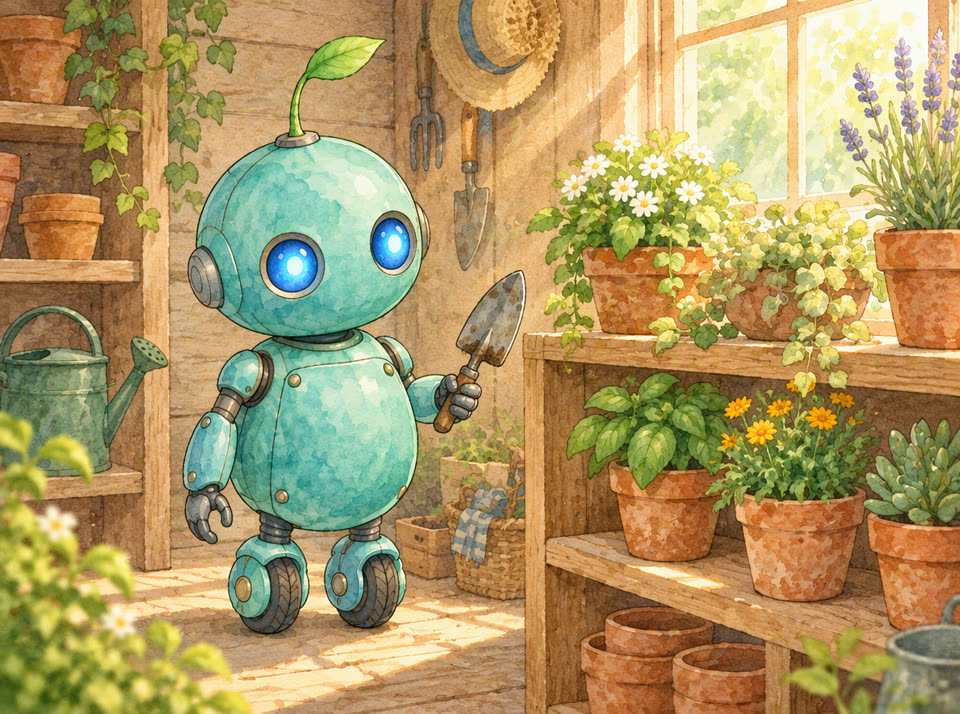
Page 1 · Pip is a small round robot gardener. 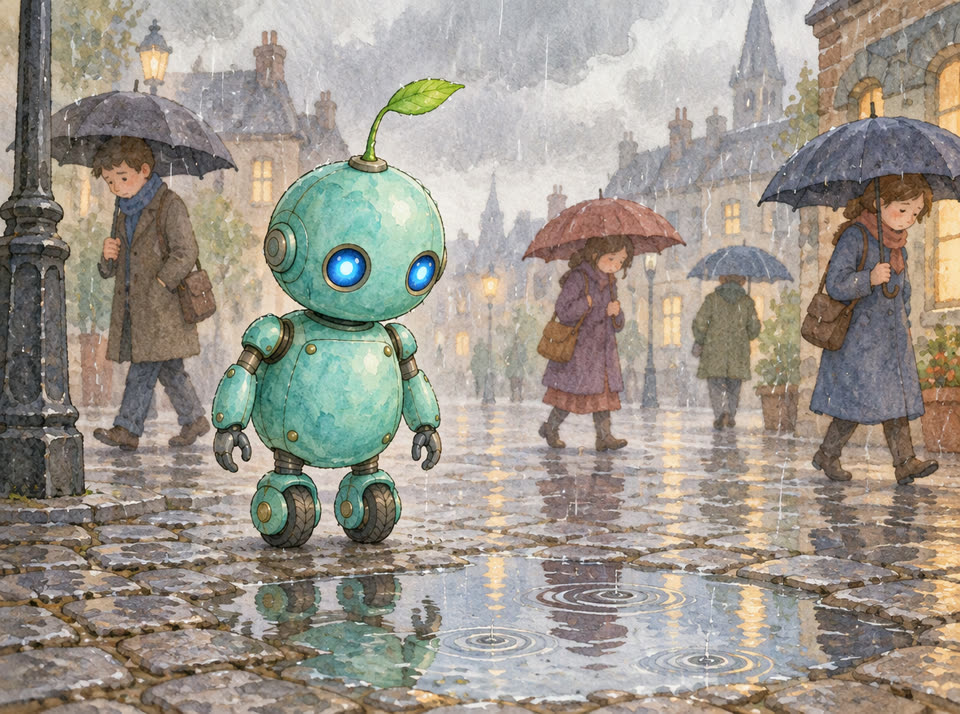
Page 2 · It is raining in the town again. Everyone looks sad. 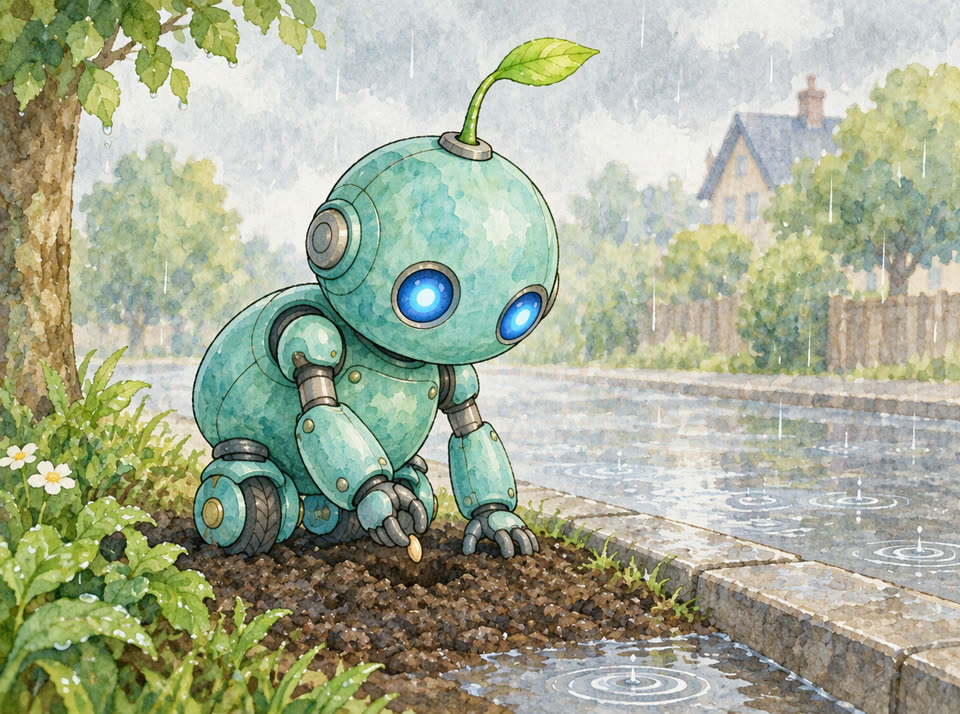
Page 3 · Pip plants one tiny seed. 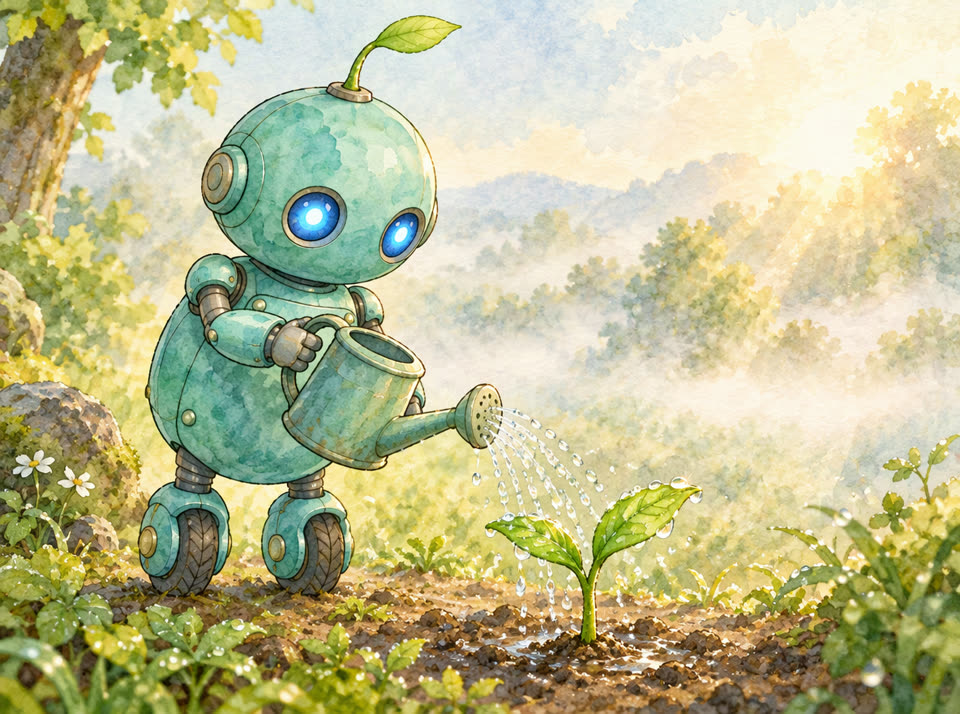
Page 4 · Pip waters it every day. 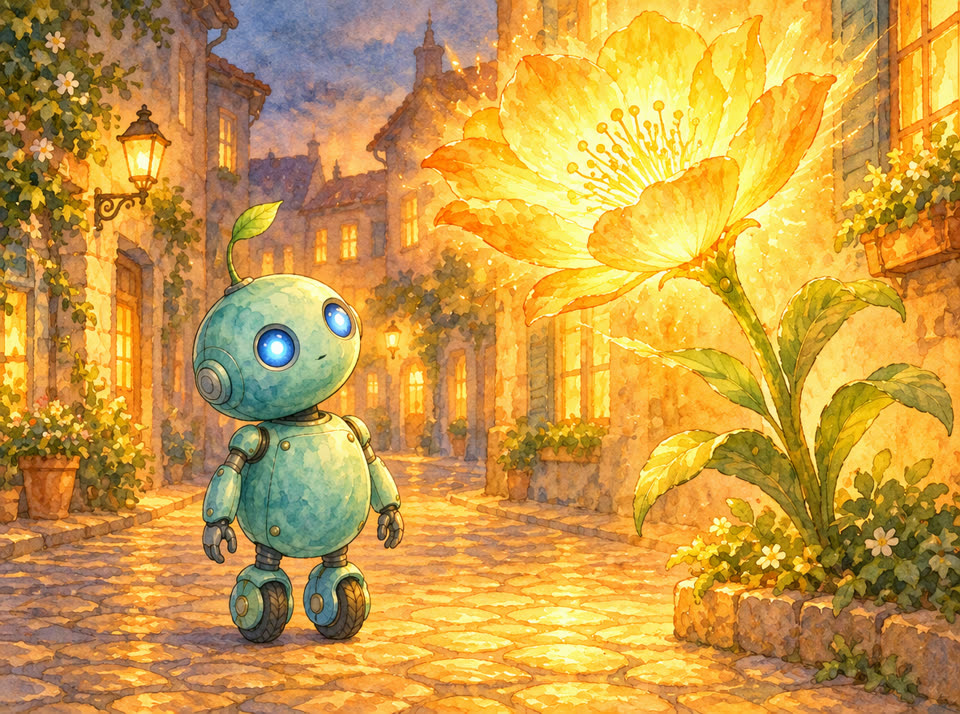
Page 5 · The seed grows into a glowing flower. The flower lights up the whole street.
Check the pages first
After the split you can rewrite any page's text and a character's description. Nothing is drawn until you press Illustrate, and a picture that fails is refunded and can be tried again on its own.
One reference sheet per character
The sheet on the left is drawn before the pages and used for every picture, which is why Pip's face, colors and wheels match on every page.
Download or share the book
Download each page as an image or the whole book as a PDF, or press Share for a read-only link to send to family or a class. The book stays private until you do, and you can stop sharing at any time.
How to Make a Picture Book with AI
A picture book used to need a writer, an illustrator and weeks of back-and-forth. With an online story book maker, the whole process fits on one screen, and you stay in charge of the story at every step.
Write or paste your story
Paste a story you wrote earlier, or pick one from My stories if you made it on this site. No text ready yet? Start with our AI story generator, then bring the result back here to illustrate it.
Pick an art style
Choose how the book should look before any page is drawn. The style you pick applies to the cover and every spread, so the whole book feels like it came from one illustrator.
Meet your characters
Before page one, the storybook maker sketches every main character once on a reference sheet showing their face, hair, clothes and colors. Those sheets become the model for every later picture.
Check the pages, then illustrate
The story is split into 6 to 12 pages and you see every page's text and every character's description before anything is drawn. Change what you like, then press Illustrate, and each page gets a scene that matches its text. Pages fill in one at a time on the right side of the book, so you can start reading while the rest are still being drawn.
Read, share or download
Flip through the finished book on screen, send a read-only link to family or students, or download the whole book as a PDF. If an illustration fails, the credits for it go straight back to your balance.
Import a Story or Manuscript You Already Wrote
You don't have to start from a blank page. If you already have a children's book manuscript, a bedtime story you tell every night or a short story from class, paste it into the story box above. Anything from 40 words up to 12,000 characters works. Stories you wrote on this site are under My stories, so you can pick one without copying it.
Choose how many pages the book should have, from 6 to 12 plus a cover. The AI then splits your text into that many pages and works out who the main characters are and what they look like. It uses your own sentences and is told not to paraphrase, but to fit about 70 words on a page it may shorten a long sentence or leave one out. That's why the next step shows you every page before any picture is drawn:
- Read each page and put back any line you want to keep, or rewrite it (up to 120 words a page)
- Fix a character's name or description, for example the color of a coat
- Press Illustrate only when the pages read the way you want
If every word has to stay exactly as written, for example a social story a teacher has already approved or a finished manuscript, choose Keep my exact words instead of Adapt to fit the pages. The AI then only decides where each page starts. No word, punctuation mark or line is changed, left out or moved, including quotes, blank lines and Chinese text. A fingerprint of your original is saved with the book, and every page is checked against it word for word. If an edit makes a page stop matching, for example a sentence was deleted instead of moved to the next page, the book can't be illustrated or downloaded until you fix that page or restore the original page breaks. In this mode a page holds whatever part of your text falls on it, so a long story makes long pages.
Splitting the story into pages uses 1 credit. The pictures are only charged when you press Illustrate.
Edit One Page at a Time
Every page is its own card, so a change to page 4 doesn't touch the rest of the book. Before the pictures are drawn you can rewrite any page's text, which is what the reader sees on that page and in the PDF, and any character's description, which their reference sheet and every picture of them are drawn from. Each picture shows the scene planned for its page when the story was split. After that, each page has its own status: if one picture fails, its credits are refunded and a Try again button redraws just that page for 3 credits, while the finished pages stay as they are.
Download Your Children's Book as a PDF or Images
When the book is done, Download PDF saves the whole storybook as one file: the cover, then every page in order with its full text under the picture. You can also download any single page or the cover as an image, for example to print one spread or use it in a slideshow. Books stay private until you press Share, which makes a read-only link you can stop at any time. Pictures made with a free account carry a small corner mark in downloads; pictures made on a plan or with a credit pack don't.
Consistent Characters on Every Page
The hardest part of any AI story generator with pictures is keeping a character recognizable. Ask a plain image tool for "a girl with a red scarf" ten times and you get ten different girls. In a picture book, that breaks the story: a child reading along needs to know the bear on page seven is the same bear from page one.
That is why this AI storybook generator draws a character sheet first. Each main character gets one reference image, and every page illustration is built from it, so the details that matter stay put:
- The same face shape, hair and eye color
- The same outfit, unless the story changes it
- The same proportions next to other characters
- A small round avatar for each character at the top of the book preview, so you can check them at a glance
You get better results when the story itself is specific. Give each character a name and two or three fixed traits, such as "Milo, a small gray rabbit with one floppy ear and a yellow raincoat." Vague descriptions leave the AI guessing, and guesses drift from page to page.
Art Styles for Your Picture Book
Choose a look that fits the age and mood of your story. There are five art styles: watercolor, classic picture book, cartoon, anime and pencil sketch. You pick one before the book is planned, and it runs through the cover, the character sheets and every page, so the whole book looks like the work of one illustrator. The real example above is in Watercolor.
Watercolor
Soft edges and gentle washes of color. A calm choice for bedtime stories and books for very young readers.
Classic picture book
Clean lines and warm, flat colors, close to the books many of us grew up with. It suits fables, animal stories and classroom readers.
Cartoon
Bold outlines and bright colors with plenty of expression. Good for funny stories and adventures that move fast.
Anime
Big eyes, dynamic poses and detailed backgrounds. Older kids and fan creators tend to reach for this one.
Pencil sketch
A hand-drawn, slightly unfinished feel. It works well for quiet stories, memoir-style books and anything that should feel personal.
Bedtime Stories and Personalized Story Books for Kids
Most people who open a picture book maker have one particular child in mind. If you have ever wanted to create your own picture book for a kid you love, here is where to start:
Bedtime stories starring your child
Write your child's name into the story and make them the hero: the kid who finds the lost star, or the one who teaches a dragon to share. The illustrated character follows the description you write, so mention hair color, glasses or a favorite hoodie in the text. Personalized story books for kids don't need a print shop or a long wait anymore; a new one can be ready for tonight's bedtime.
Classroom readers for teachers
Turn a vocabulary list, a class field trip or a lesson about kindness into a short illustrated reader. Use the same characters across a series so students recognize them from book to book.
Picture books for creators
Any storybook creator, from a first-time writer to a working author, can see a manuscript with pictures before pitching it, and parents who blog or post on social media can make a short book to share. Storybook AI is a quick way to test whether an idea works on the page.
Stories are checked by a content filter, and adult material isn't generated, so the books stay suitable for young readers.
Reading Age Presets for Kids' Picture Books
A book for a three-year-old and a book for a ten-year-old don't read the same. Before you start, you can pick a reading age: Ages 3–5, Ages 6–8 or Ages 9–12. It is a creative preset that sets limits for the text and the pictures. It isn't a reading level test, and it doesn't promise any learning result.
- Ages 3–5: up to 30 words a page and sentences of about 10 words, with calm, cozy pictures
- Ages 6–8: up to 50 words a page and sentences of about 15 words, with mild suspense shown softly
- Ages 9–12: up to 70 words a page and sentences of about 20 words; adventure can show, but nothing graphic
With Adapt to fit the pages, the AI still uses only your words. To stay under the limit it may split a long sentence at a comma or leave a line out, but it never swaps in easier words. With Keep my exact words nothing is cut: pages that run over the preset are flagged on the review screen, so you can move sentences yourself. Every page shows its word count and longest sentence while you edit. Counting words isn't the same as reading a page aloud, so read each one before you illustrate.
When you write a new Kids story with the AI story generator, the same presets also shape the vocabulary and how intense the plot gets. Each preset suggests a narrator from the existing voices for the storybook video (Serena for 3–5, Vivian for 6–8, Ryan for 9–12), and you can change it. The video maker can play a short voice sample, cut from a real storybook video, before you spend any credits.
What a Storybook Costs in Credits
On this AI story generator with pictures, writing the story is covered by your free daily stories, and credits pay for the illustrations. Before anything is drawn, the tool shows how many credits the book will use and how many you have, so there are no surprises.
| What you make | Credits |
|---|---|
| One page illustration | 3 |
| One character reference sheet | 3 |
| A 10-page book with a cover and two main characters | About 41 |
| Narrated video of your finished book | 20 per minute |
A free account comes with 20 credits each day, enough for about six illustrations, and the daily allowance refreshes every 24 hours. Your first storybook also comes with 20 bonus credits, so a free account can illustrate a 6-page book on day one. Guests can write stories but need to sign in before anything is illustrated. Paid plans start at 1,000 credits a month, which covers roughly 24 ten-page books, and they remove the corner mark from your pictures. See what each plan includes for illustrated storybooks.
Turn Your Storybook into a Narrated Video
Finished the book? Make it move. A storybook video reuses the illustrations you already have, adds slow pans and zooms over each picture, reads the text aloud and puts subtitles on screen. It costs 20 credits per minute of narration, so a 10-page book of about 400 words comes to roughly three minutes and 60 credits. You can create one from the result toolbar, or open the story video generator to film a story with fully animated scenes.
Storybook Questions
How to make a picture book online?
Start with a story, even a few sentences long. Paste it into the left page above, choose an art style and click Illustrate My Book. The AI picture book generator creates character sheets, splits the text into pages and draws each scene. When it's done, read the book on screen, share the link or download the pages.
Can AI illustrate a children's book?
Yes. This AI children's book generator draws a picture for every page of a children's book and keeps the main characters looking the same throughout. It works best when you describe each character clearly and keep the text short per page. Read every page before you share or print it, since an AI book illustration generator can still misread a scene.
Is this a free AI story generator with pictures?
Yes, with a daily limit. A free account gets 20 credits every day, which pays for about six illustrations, plus free daily stories, and your first storybook comes with 20 bonus credits. A full 10-page book uses about 41 credits, so it needs a couple of days of free credits or a paid plan. Guests can write but not illustrate.
Can I import a manuscript I already wrote?
Yes. Paste it into the story box (40 words to 12,000 characters) or pick it from My stories, and choose 6 to 12 pages. With Adapt to fit the pages, the text is split using your sentences, but a long sentence may be shortened or left out to fit the page, so read every page and fix anything before you press Illustrate.
Can the book keep my text word for word?
Yes. Choose Keep my exact words before you start. Your text is only divided into pages, never reworded, shortened or reordered, and each page is checked against a fingerprint of your original. If a page no longer matches, Illustrate and Download PDF stay locked until you fix it or restore the original pages. Your text needs at least 6 sentences so every page gets one.
Can I set a reading age for the book?
Yes. Pick Ages 3–5, 6–8 or 9–12 before you start. The preset limits the words on each page and the length of sentences, keeps the pictures gentler for younger readers and suggests a narrator voice for the video. It's a writing preset, not an assessment of reading level, so read the pages with your reader in mind and edit anything that doesn't fit.
Can I edit a single page?
Yes. Before the pictures are drawn, you can rewrite the text of any page, and only that page changes. You can also change a character's description, which changes how they are drawn on every page. If one picture fails, you can try that page again on its own for 3 credits.
Can I download the book as a PDF?
Yes. Download PDF saves the cover and every page, in order and with the full text, as one file. Each page and the cover can also be downloaded as an image.
Will the characters look the same on every page?
That is the goal of the character sheets. Each main character is drawn once as a reference, and every page illustration follows it, so faces, hair and clothes stay consistent. A clear, specific description in your story makes the match much closer than a vague one.
Can I use my child's name in the story?
Yes. Type your child's name into the story, or describe them as the hero when you ask the AI to write it. The illustrations follow the description in the text, so add details like hair color or a favorite jacket to make the character look more like them.
Can I sell a book made with AI?
Possibly, but check the store's rules first. We don't claim ownership of books you make here and assign you any rights we hold in them. Amazon KDP requires disclosure of AI-generated text and images, covers included, even after editing. Ingram's Lightning Source doesn't accept books made solely with generative AI. Per the U.S. Copyright Office, purely AI-made pictures and text get no copyright protection, though your own creative edits can. This is general information, not legal advice, and our terms cover the rest.
Related tools
AI Story Video Generator
Turn a story or script into a narrated video. The AI writes the storyboard, draws consistent characters, animates each scene and adds subtitles.
AI Story Generator
Turn one idea into a complete story with our AI story generator. Pick a genre, length and tone, then add pictures or turn it into a video. Start free.
Children's Book Illustration Styles, Compared on the Same Page
One robot, one rainy page, five children's book illustration styles: real AI outputs side by side, what stayed consistent, and which ages each suits.
Social Story Generator and Maker
Make a social story with pictures from an editable template or your own approved script. Words kept exactly, one step per page, the same child throughout, PDF.
Your Next Bedtime Story, Illustrated
Write a story, pick a style and let every page come to life with the same characters from start to finish.